 Glossarion
Translate novels, manga & more with any AI you like.
Glossarion is a complete AI translation studio for light novels, web novels, manga, subtitles and games. Bring your own API key or run a model on your own device — there is nothing to buy, no word limits and no account.
You only pay your AI provider, if anything. Local models cost nothing.

Read a webtoon translated by Glossarion.
A Book Fell from the Sky is a 31-strip Korean webtoon starring Halgakos, the Glossarion mascot. The English edition was made with Glossarion's manga translator: text detection, OCR, a glossary of the cast and terms, translation with the page images, text removal and lettering.
Switch between the Korean original and the English translation at any point while you read.

 한국어English
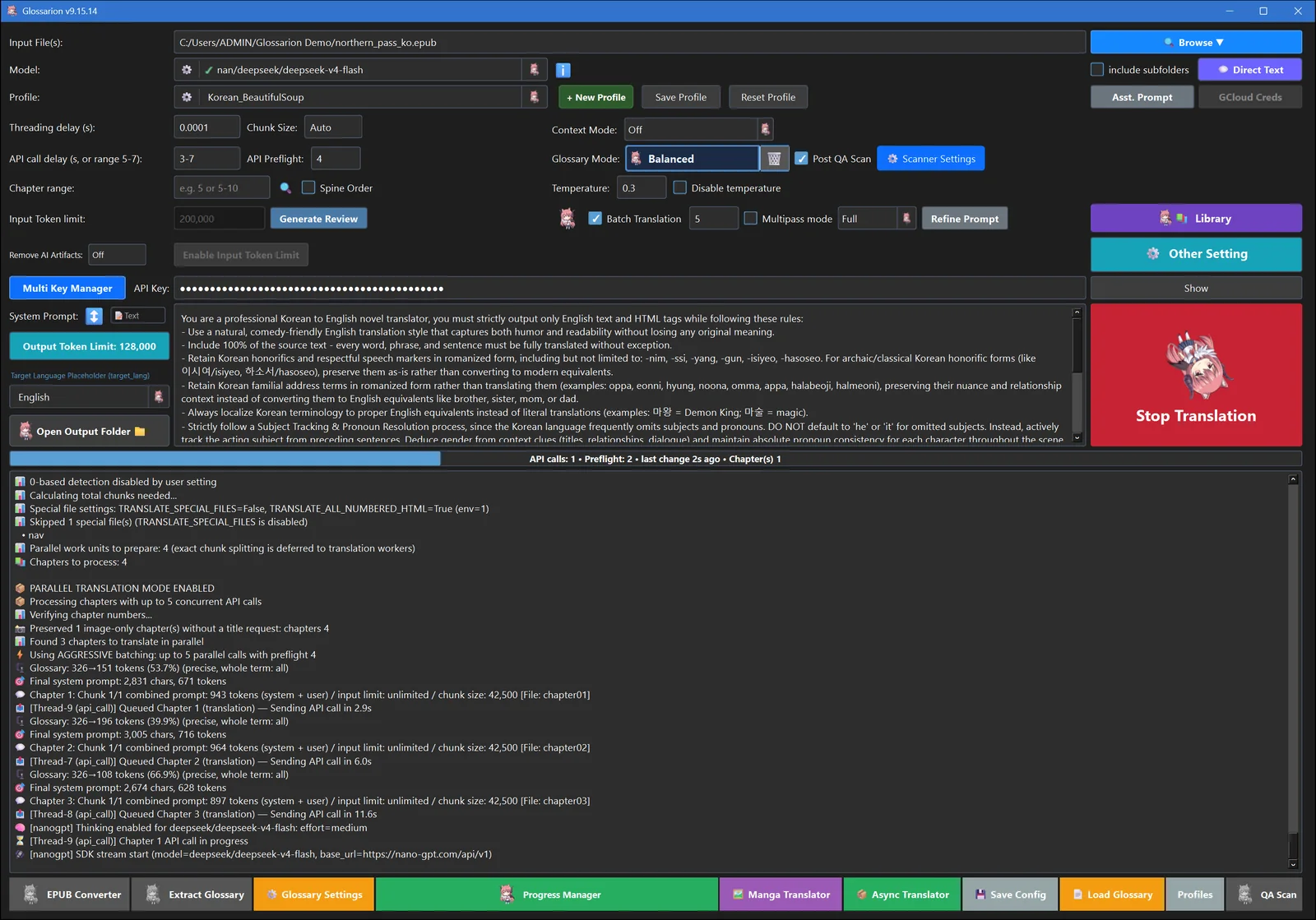
From raw chapters to a finished book in four steps.
Glossarion runs on your computer or phone. Your files stay with you, and text only goes to the AI you pick.
Drop in a file
EPUB, TXT, PDF, Markdown, subtitles, images, CBZ manga, SDLXLIFF, even RPG Maker games.
Pick any model
Your API key, a ChatGPT / Grok / Claude / Gemini login, Ollama on your PC or a model on your phone.
Lock names & terms
An automatic glossary keeps names, genders and terms consistent from the first chapter to the last.
Read, check, export
Get a rebuilt EPUB or PDF, read it in the built-in library and let the QA scanner catch mistakes.
Everything paid AI translation sites offer. Free.
Glossarion is a free, open-source alternative to subscription-based AI translation services: bring your own API key or local model, with no subscription and no markup on your usage.
Whole books, chapter after chapter, with context.
Load an EPUB, TXT or PDF and translate it end to end. Glossarion carries recent chapters (or a rolling summary) into every request, so tone and story stay coherent, and splits long chapters into chunks automatically.
- Parallel chapters, automatic retries and key failover
- Stop any time and resume exactly where you left off
- Prompt profiles for Korean, Japanese and Chinese — edit them or write your own
- Rebuilt EPUB keeps images, cover and structure; titles and metadata are translated too
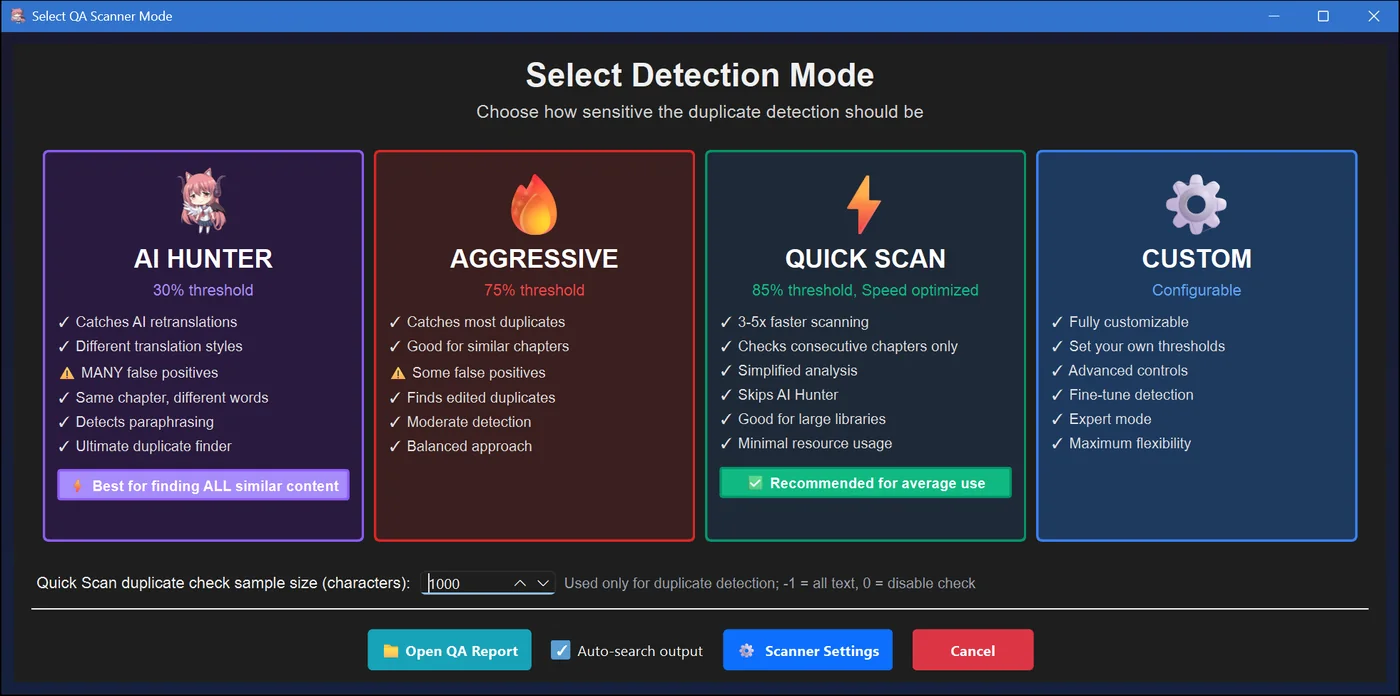
Windows · macOS · Linux · Android · iOS
Clean, typeset manga and webtoon pages.
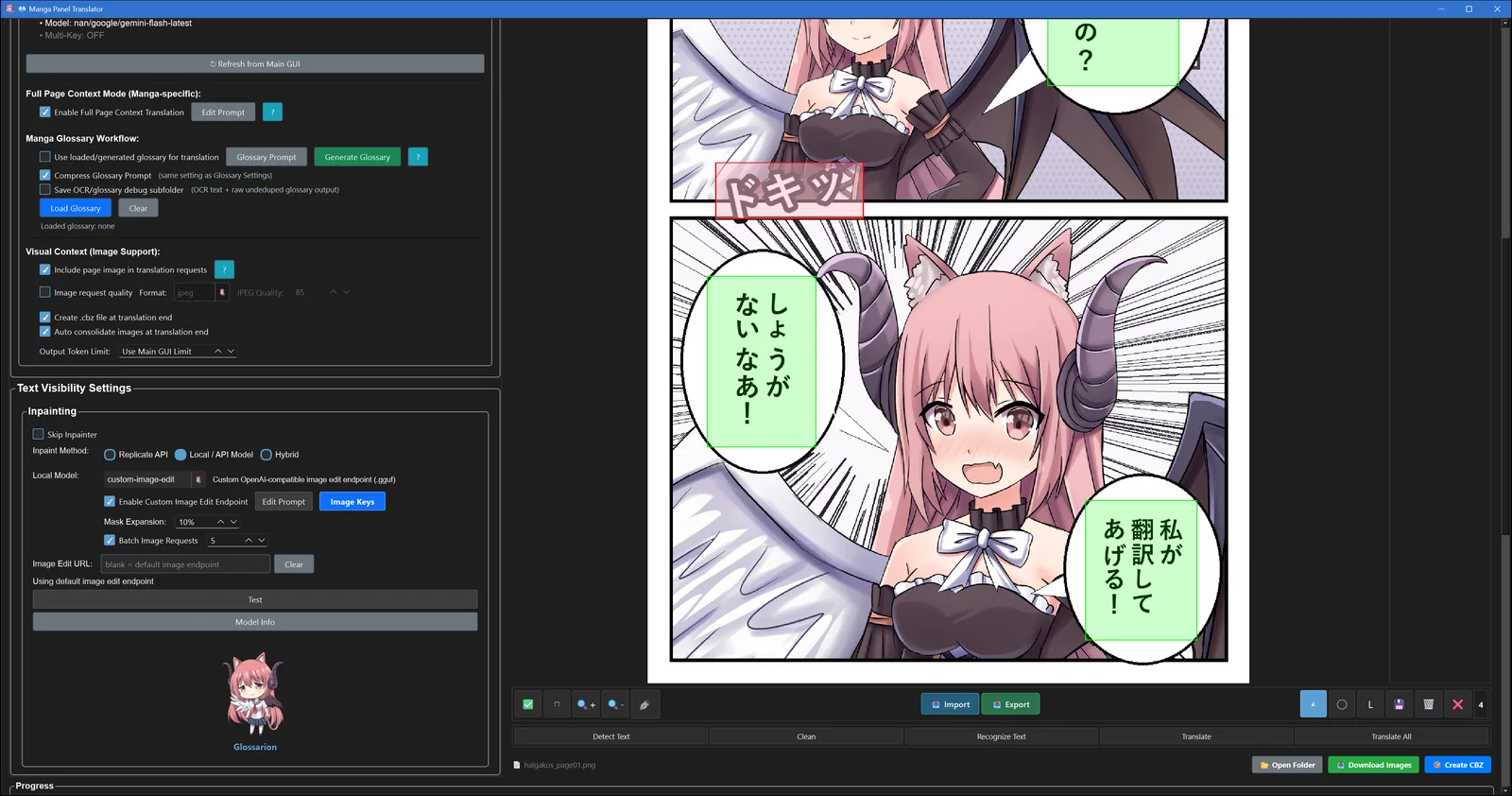
Glossarion finds every speech bubble, reads the text, removes it from the art and letters the translation back in. The AI sees the whole page, so expressions and context shape the wording. Tall webtoon strips work the same way.
- Bubble detection with RT-DETR and YOLO models
- OCR from your vision model, Google, Azure, RapidOCR, manga-ocr and more
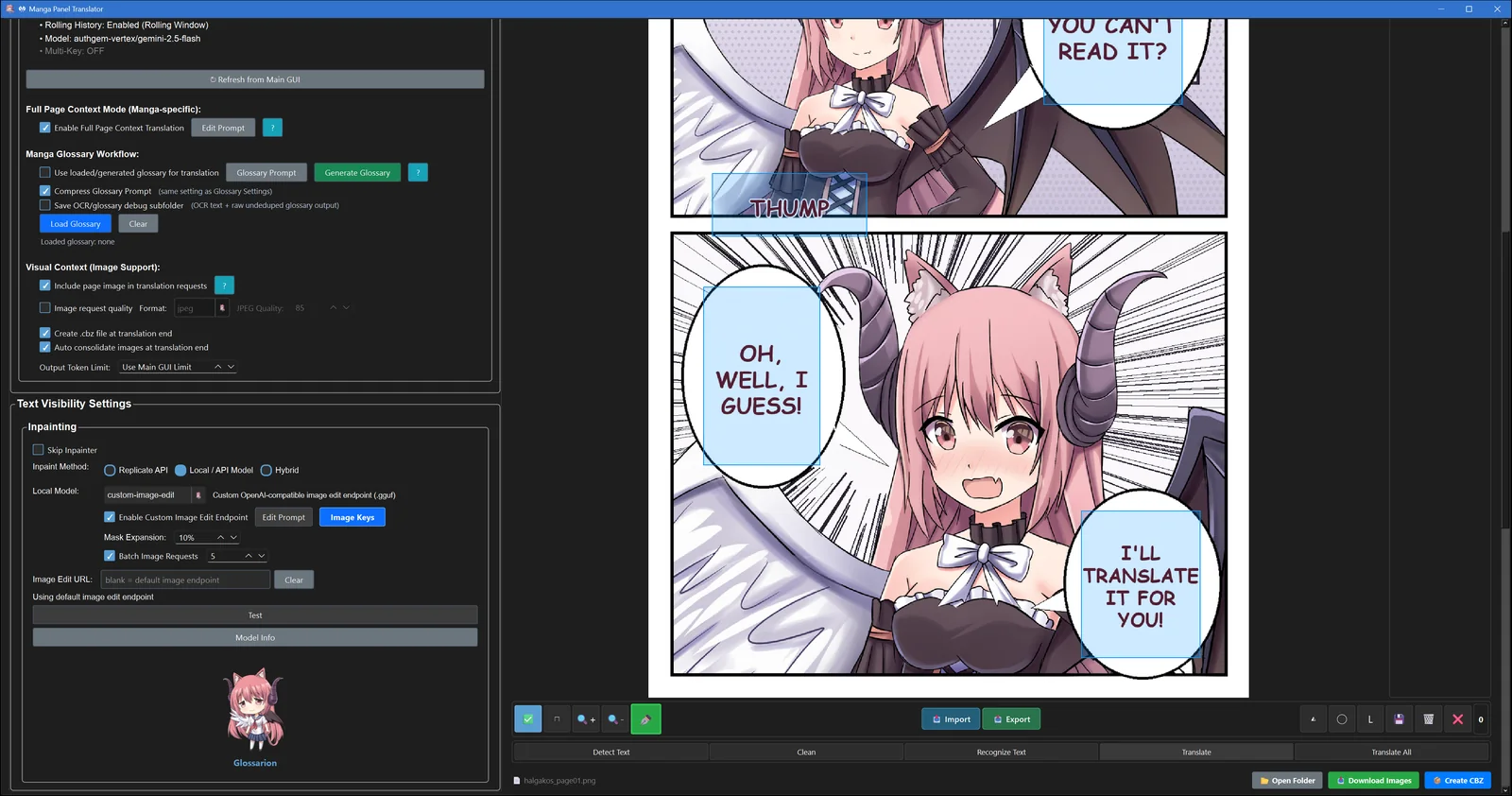
- Text removal with local models (LaMa, AOT, anime) or an image-edit model such as Gemini Nano Banana
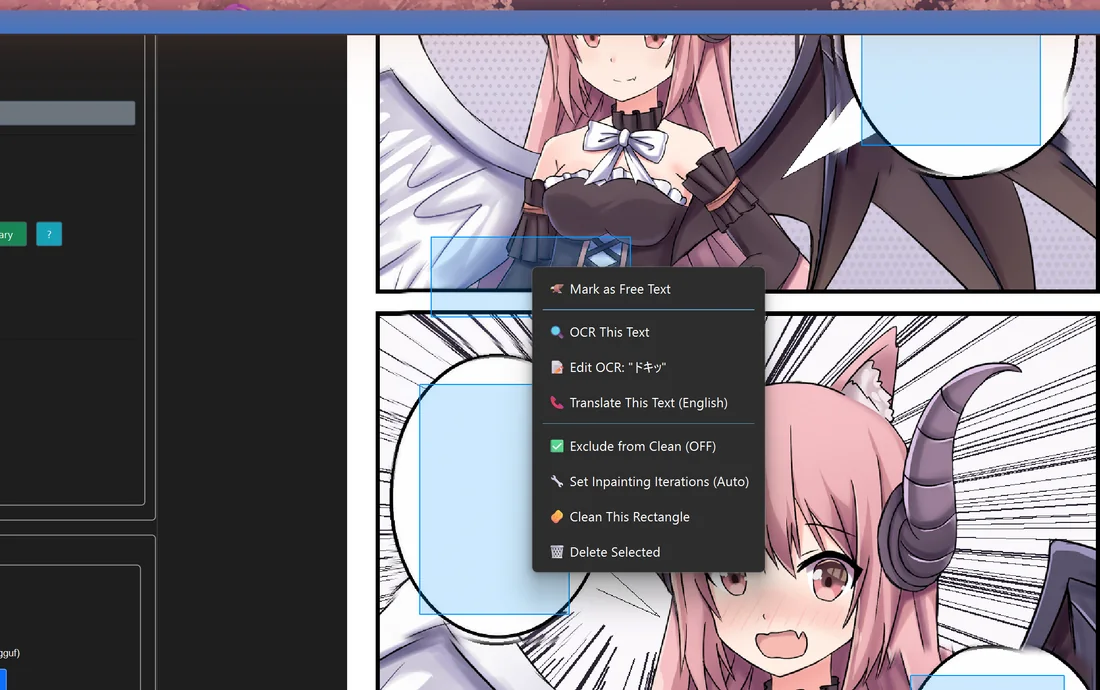
- A page editor: draw a box around anything detection missed, like a sound effect, and translate it too
- Fonts, colours, outlines, webtoon mode and CBZ output
Desktop NoCuda build · Android · iOS (ONNX and cloud engines)

 OriginalTranslated

 OriginalTranslated

 OriginalTranslated
Real runs of the Manga Translator on test pages. The original text was removed by Gemini Nano Banana 2.1 (an image-edit model), with the mask limited to each text box, so the artwork around the text is left untouched.
Names, genders and terms that never drift.
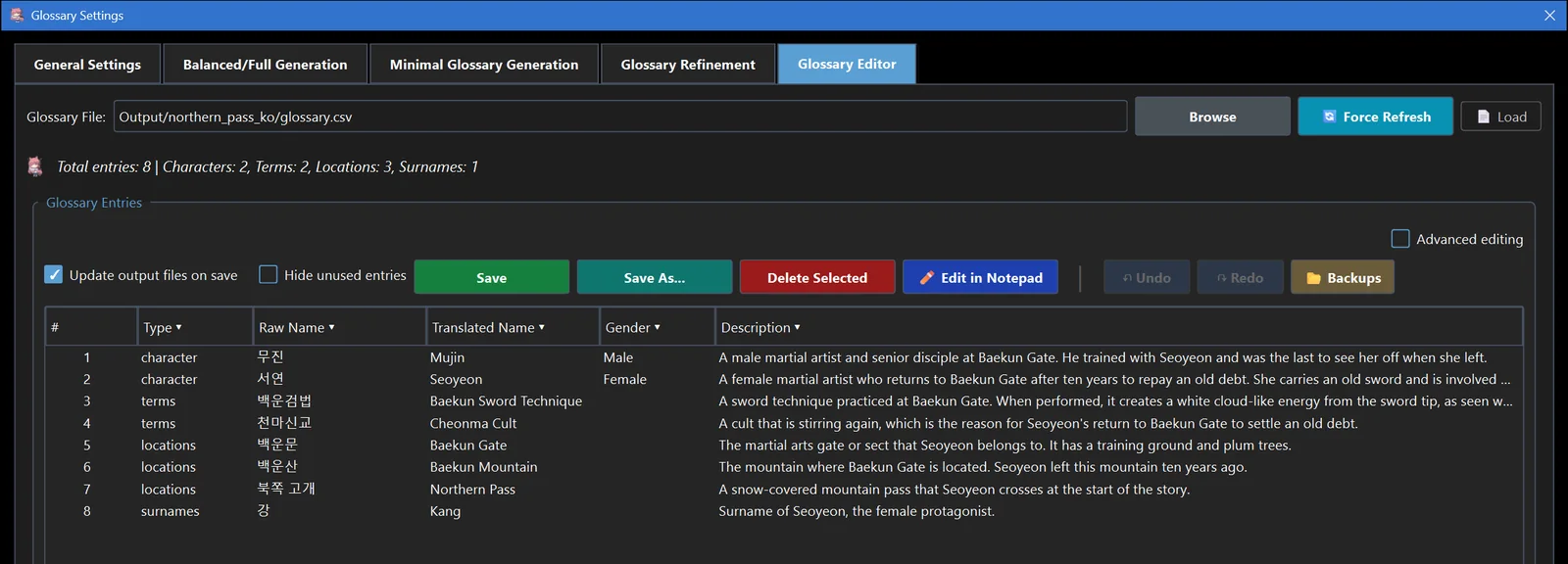
Glossarion builds a glossary from your book before or during translation and sends only the terms each chapter needs. Characters keep one spelling and the right pronouns, and techniques and places keep one name.
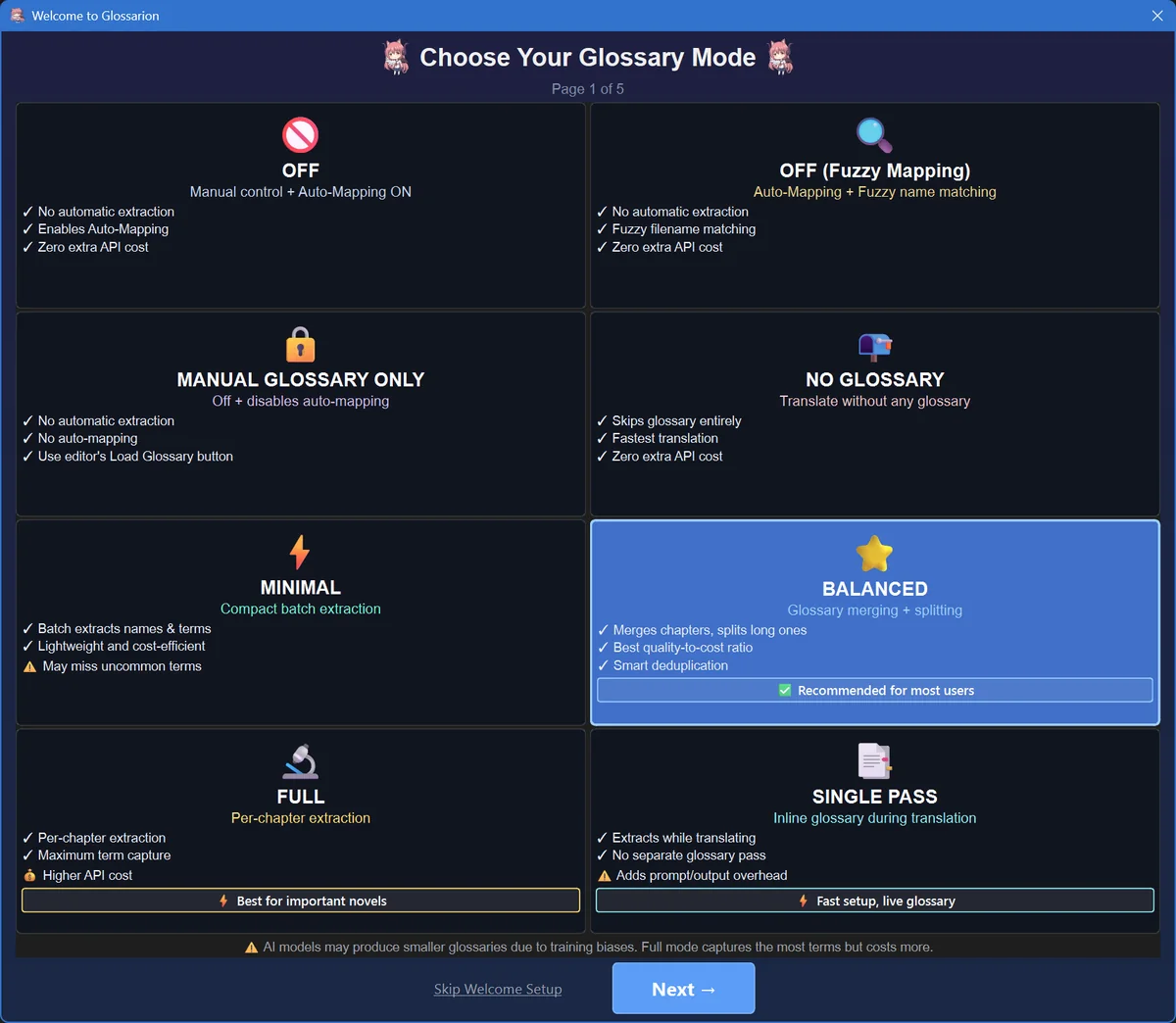
- Automatic extraction with eight modes, from minimal to full
- Glossary Manager: filter, find & replace, undo, de-duplicate, resolve gender conflicts
- A unified glossary per language pair, auto-matched to each of your books
- Optional NER name check flags and fixes misspelled names in the output
- Build a glossary from a raw book and an existing translation of it
Windows · macOS · Linux · Android · iOS · NER in the NoCuda build and on mobile
A library and a reader built in.
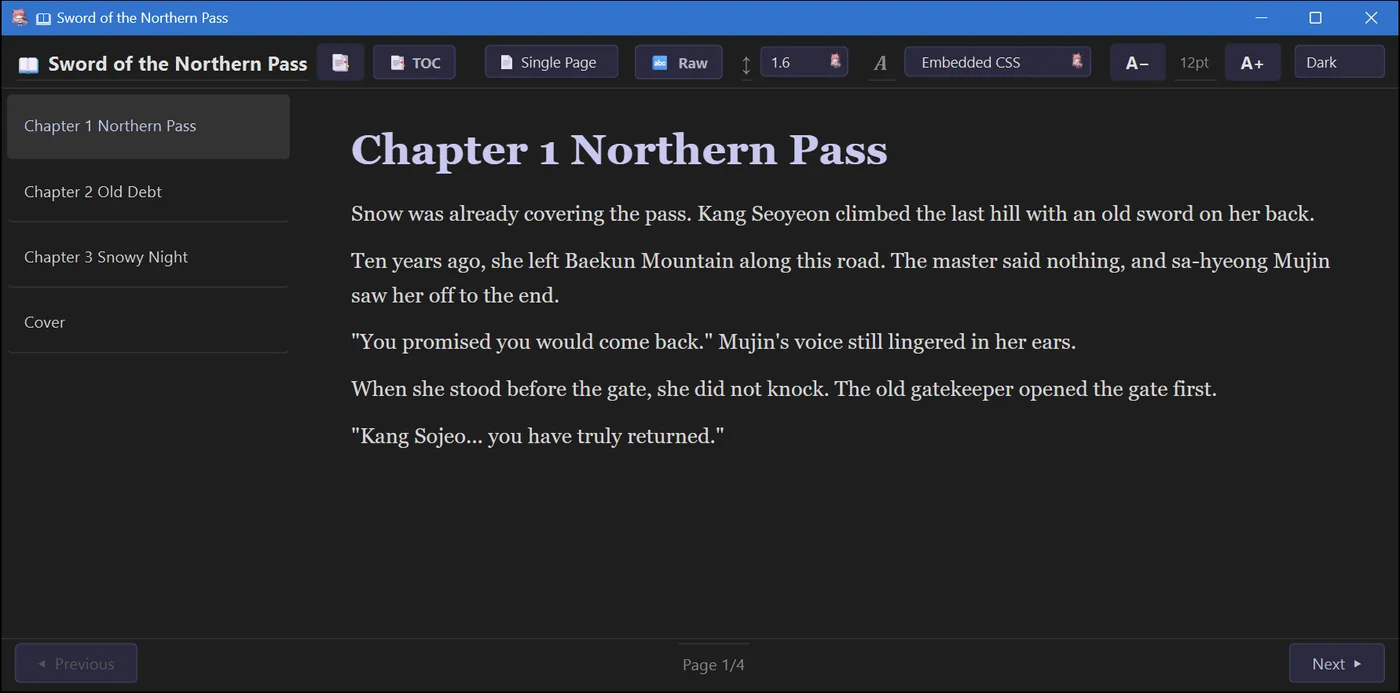
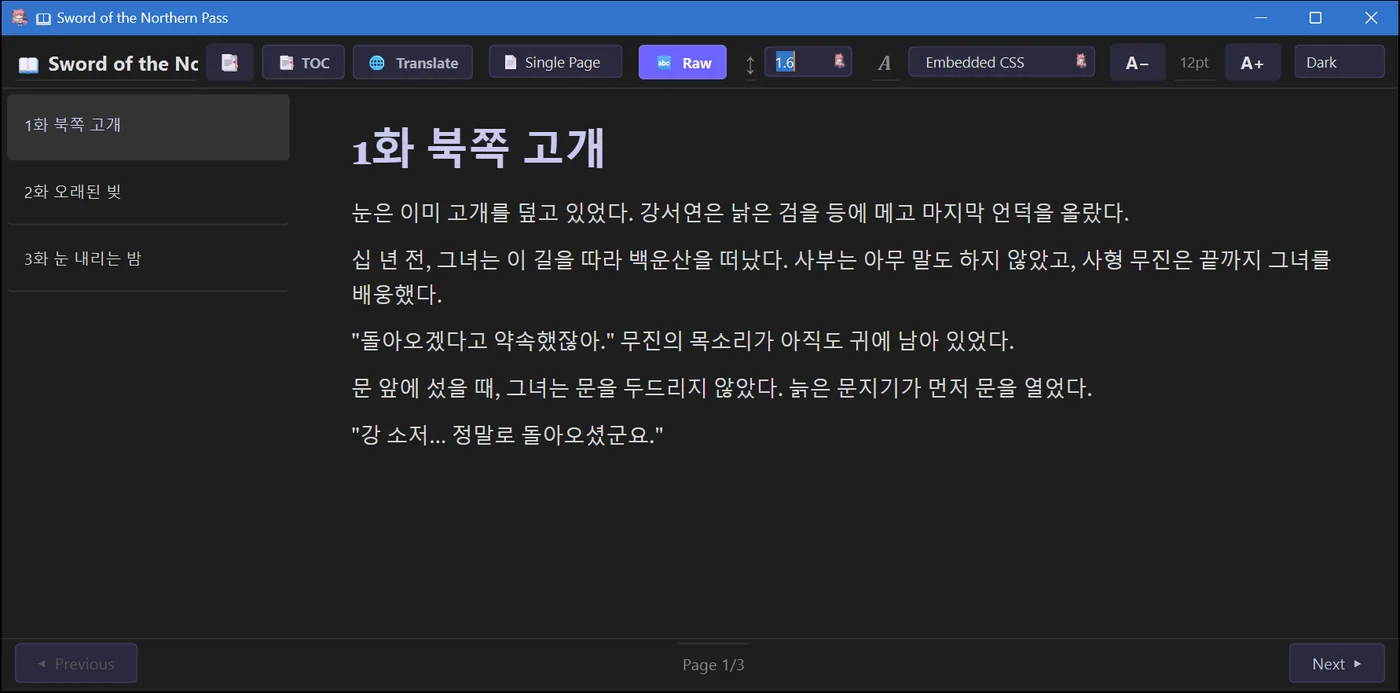
Your translated books land on a cover shelf with In Progress and Completed tabs. Open one to read it with your own theme and font, flip between the raw and translated text, or translate the next chapter right inside the reader and watch it stream in.
- Six reading themes, font, size, spacing and four page layouts
- Search the whole book, jump through the table of contents
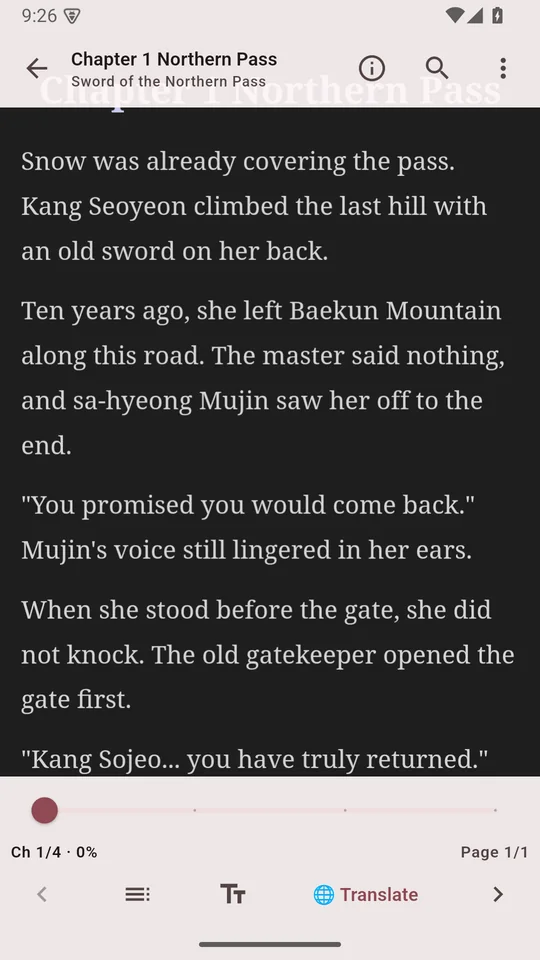
- Mobile adds a bilingual view, bookmarks, saved position and "Add to glossary" on any selection
Windows · macOS · Linux (standard build) · Android · iOS
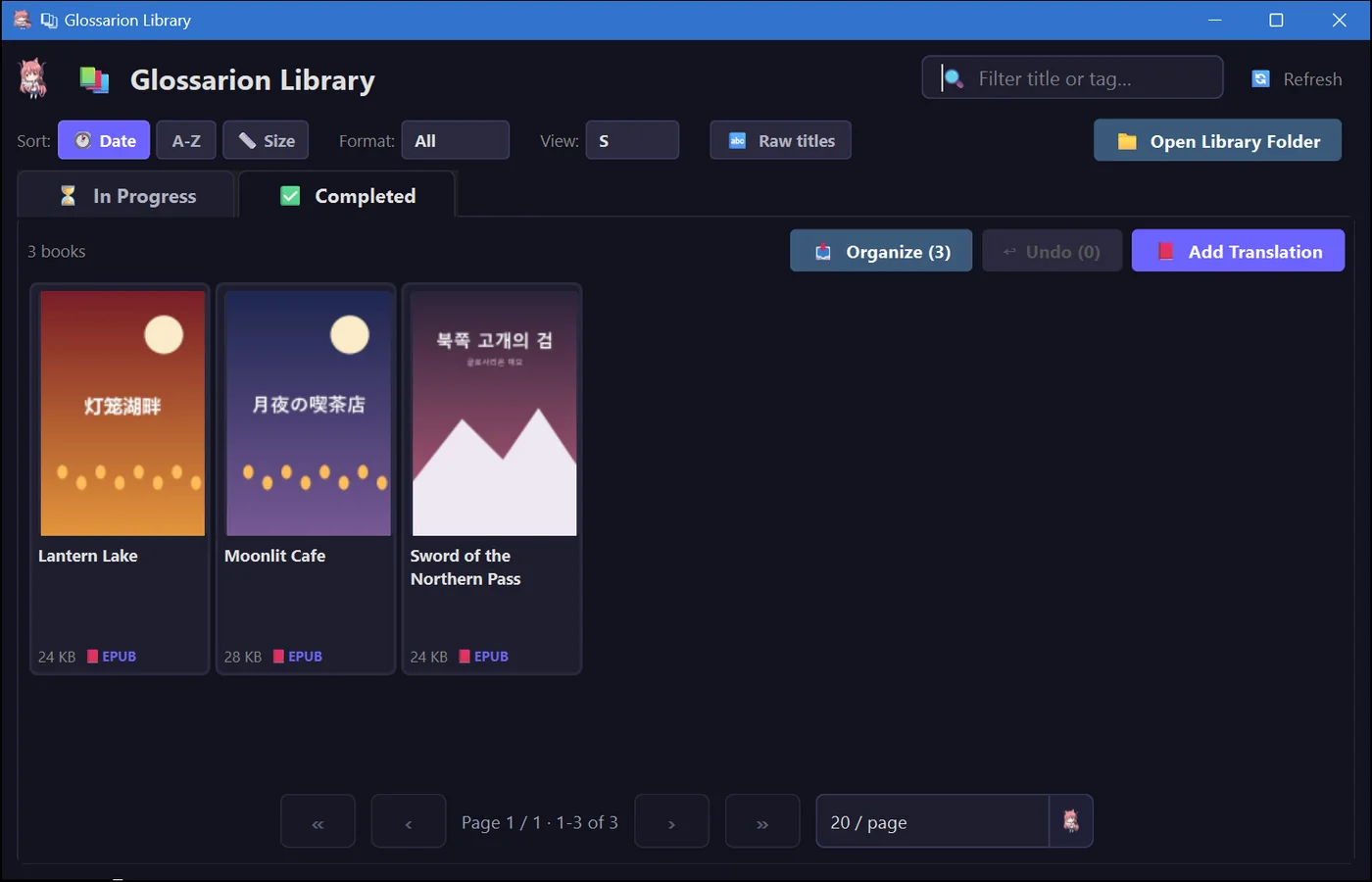
Many keys, many books, all at once.
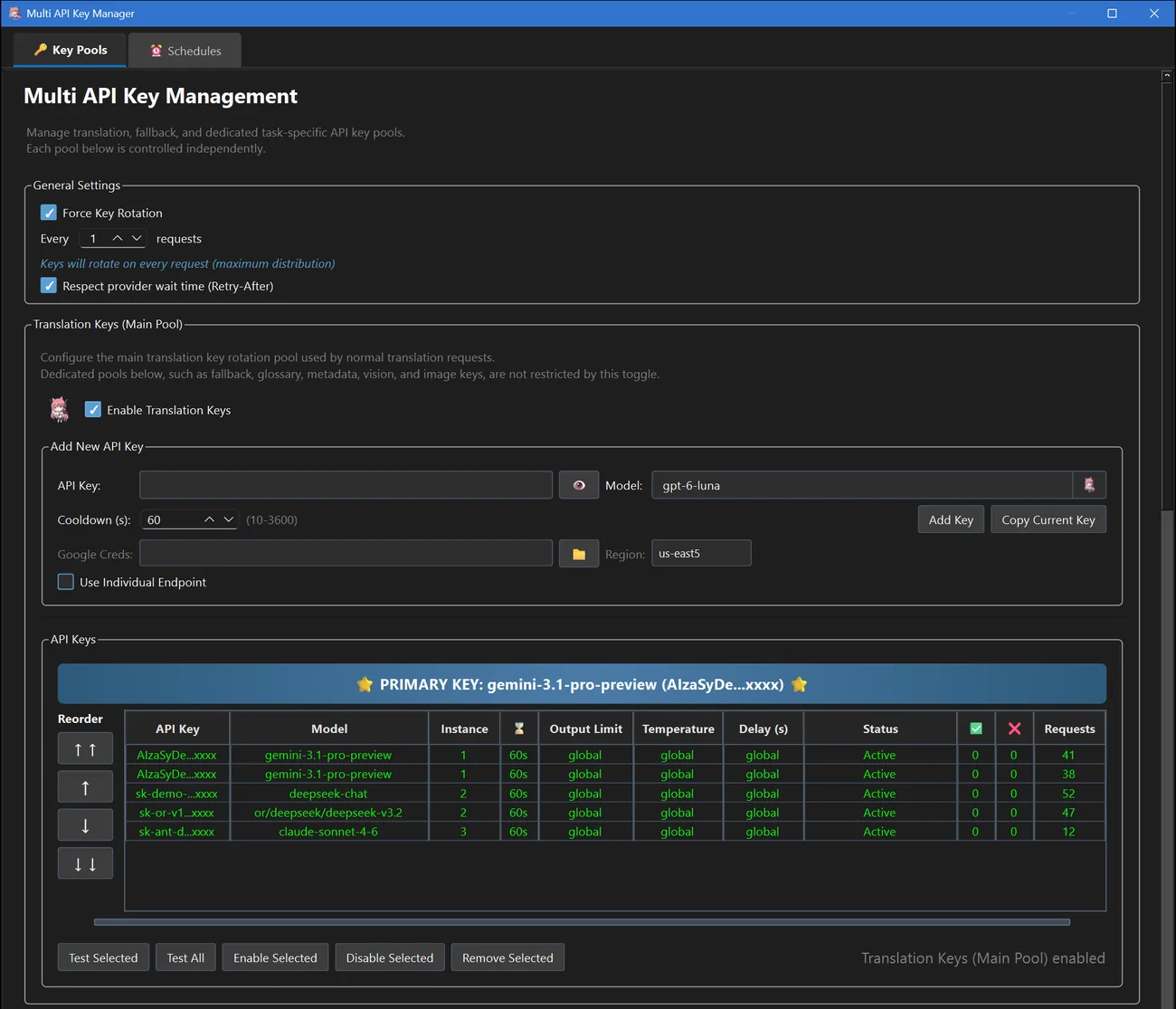
Add as many keys as you like and Glossarion rotates through them, cools down any key that hits a rate limit and fails over on errors. Give keys an instance number and several books translate side by side, each with its own keys, log and progress.
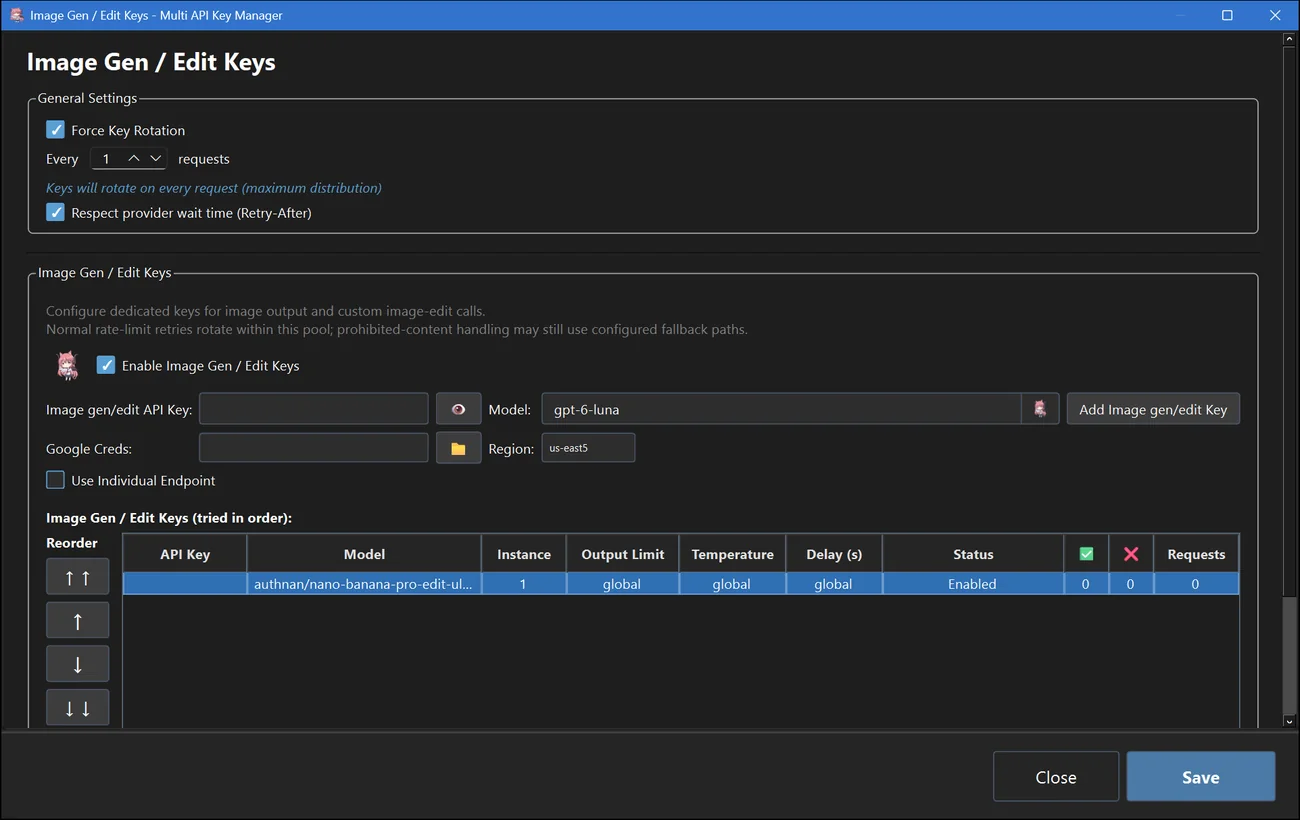
- Separate pools for translation, fallback, glossary, QA, image editing and more
- A per-key endpoint, model, parameters and schedule
- A fallback pool retries refused content on another model
- Keys are encrypted on your device
Windows · macOS · Linux · Android · iOS
Run it all offline, on your own hardware.
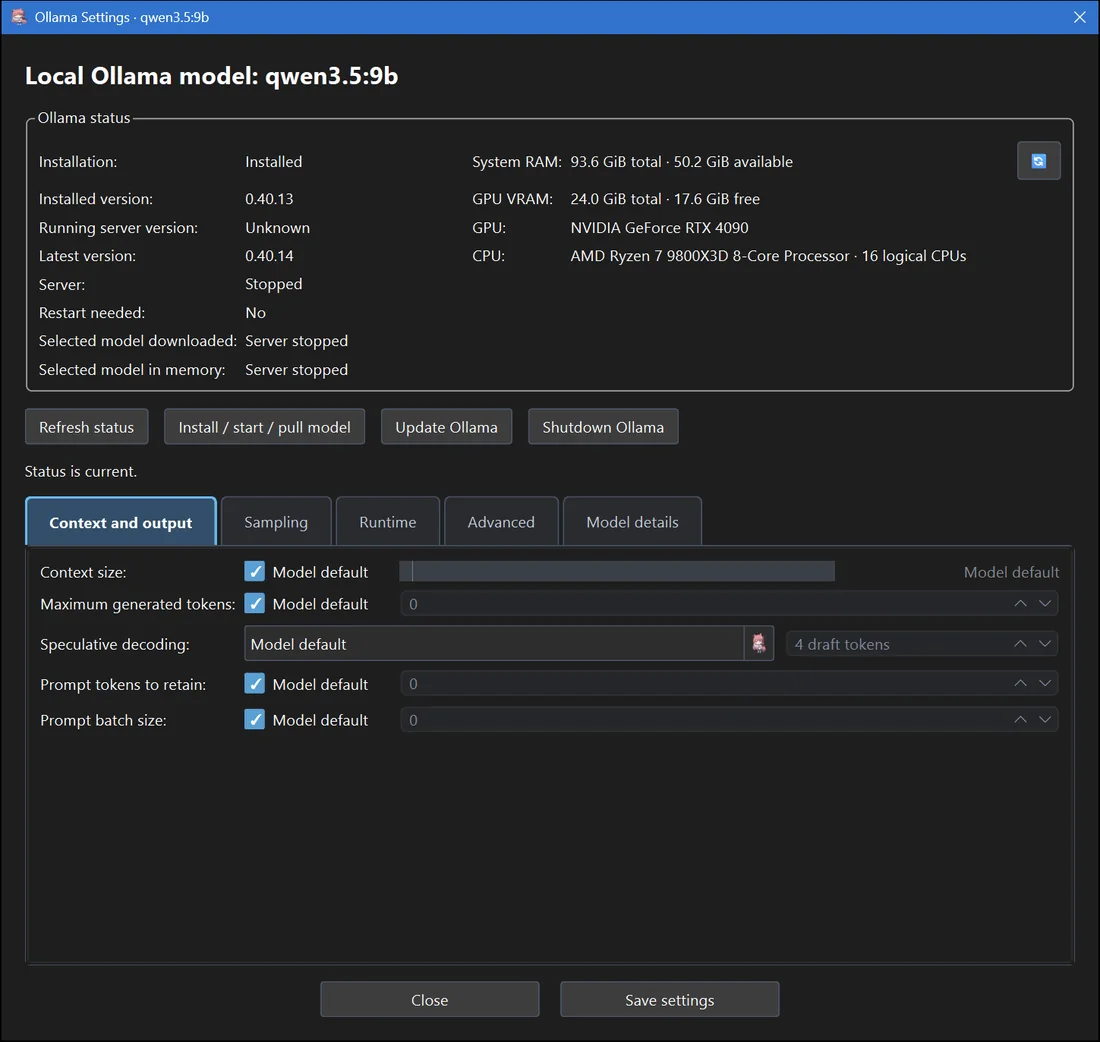
Type ollamapull/qwen3.5:9b and Glossarion installs Ollama, downloads the model and starts translating — no setup and no bill. Already running Ollama or LM Studio? Use ollama/ or lmstudio/, or point any prefix at your own OpenAI-compatible server.
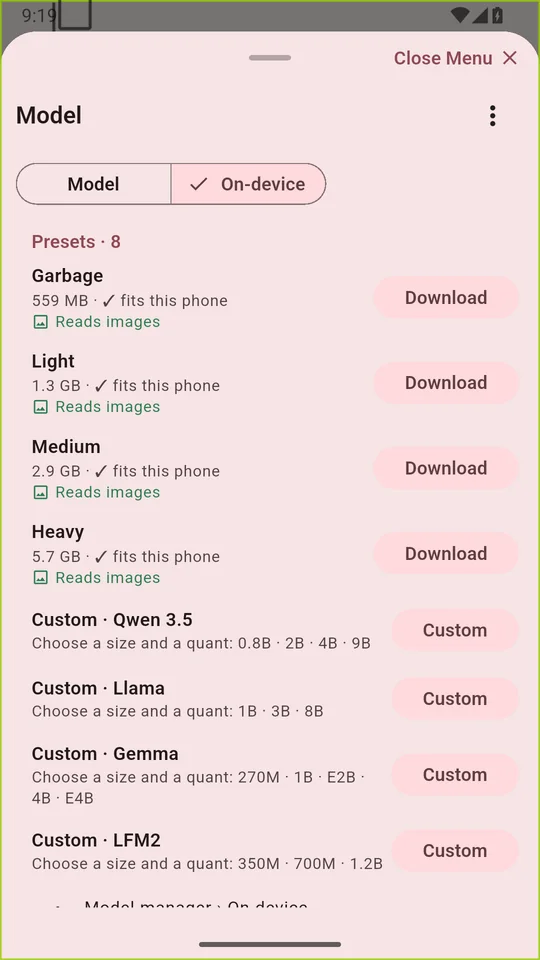
- On Android and iOS, GGUF models run on the phone itself through llama.cpp
- Ready-made Qwen3.5 presets from 0.8B to 9B, plus Llama, Gemma and LFM2
- The phone app can also use Ollama or LM Studio running on your PC
- Nothing leaves your device
Desktop: Ollama, LM Studio, any local server · Mobile: on-device llama.cpp
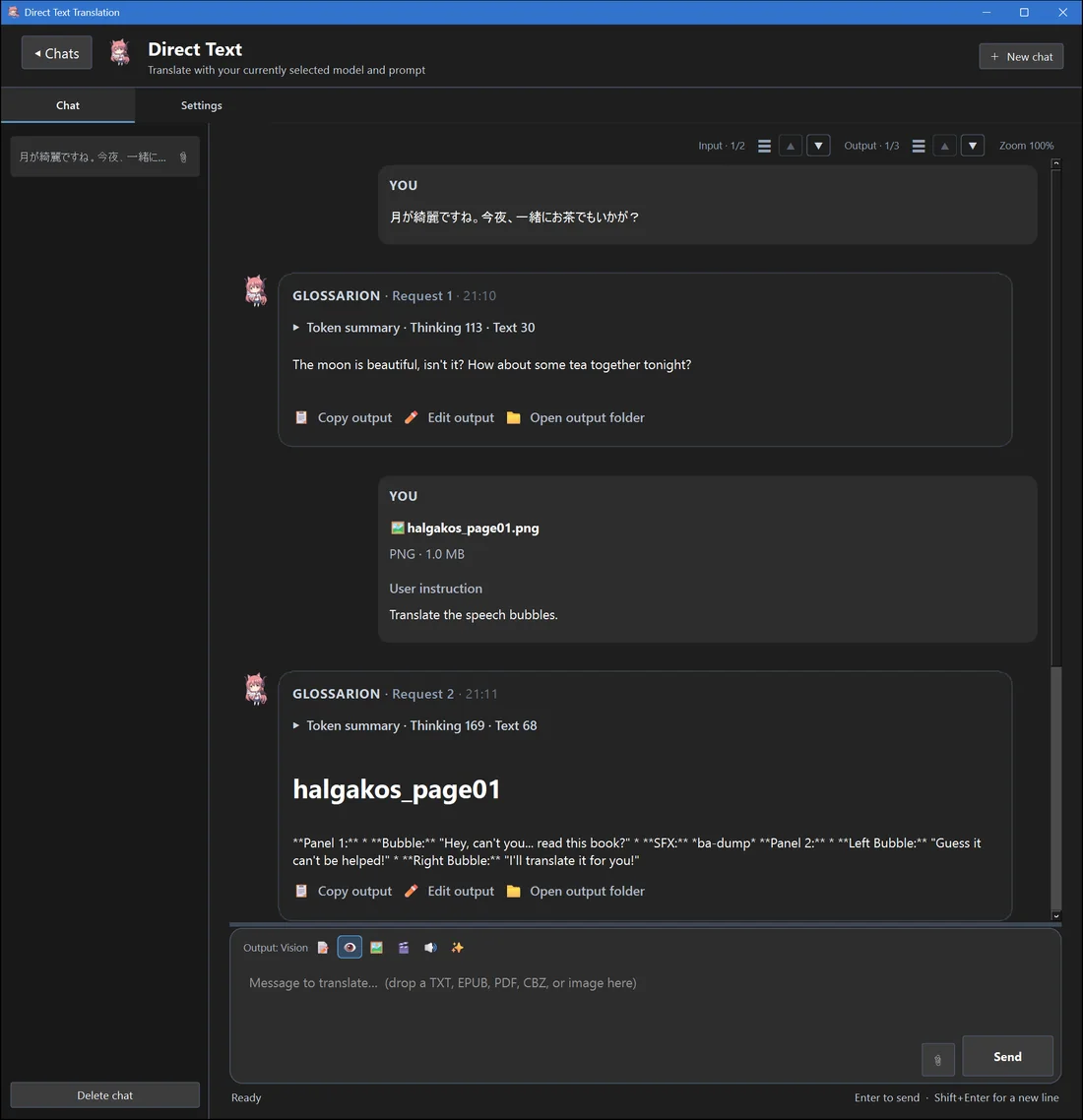
Send images, get text — or get new images back.
Every job has an output mode. Vision reads text out of images, scans and image-only EPUBs, then translates it. Image mode sends your pictures to an image-editing or image-generation model; video and audio modes are there too.
- Translate the illustrations inside a web novel EPUB
- Image editing through models like
nan/gpt-image-2or any OpenAI-compatible edit endpoint - Text-to-speech of a finished translation
- Results show inline in the chat on desktop and mobile
Windows · macOS · Linux · Android · iOS
Know if a book is worth it before you translate 500 chapters.
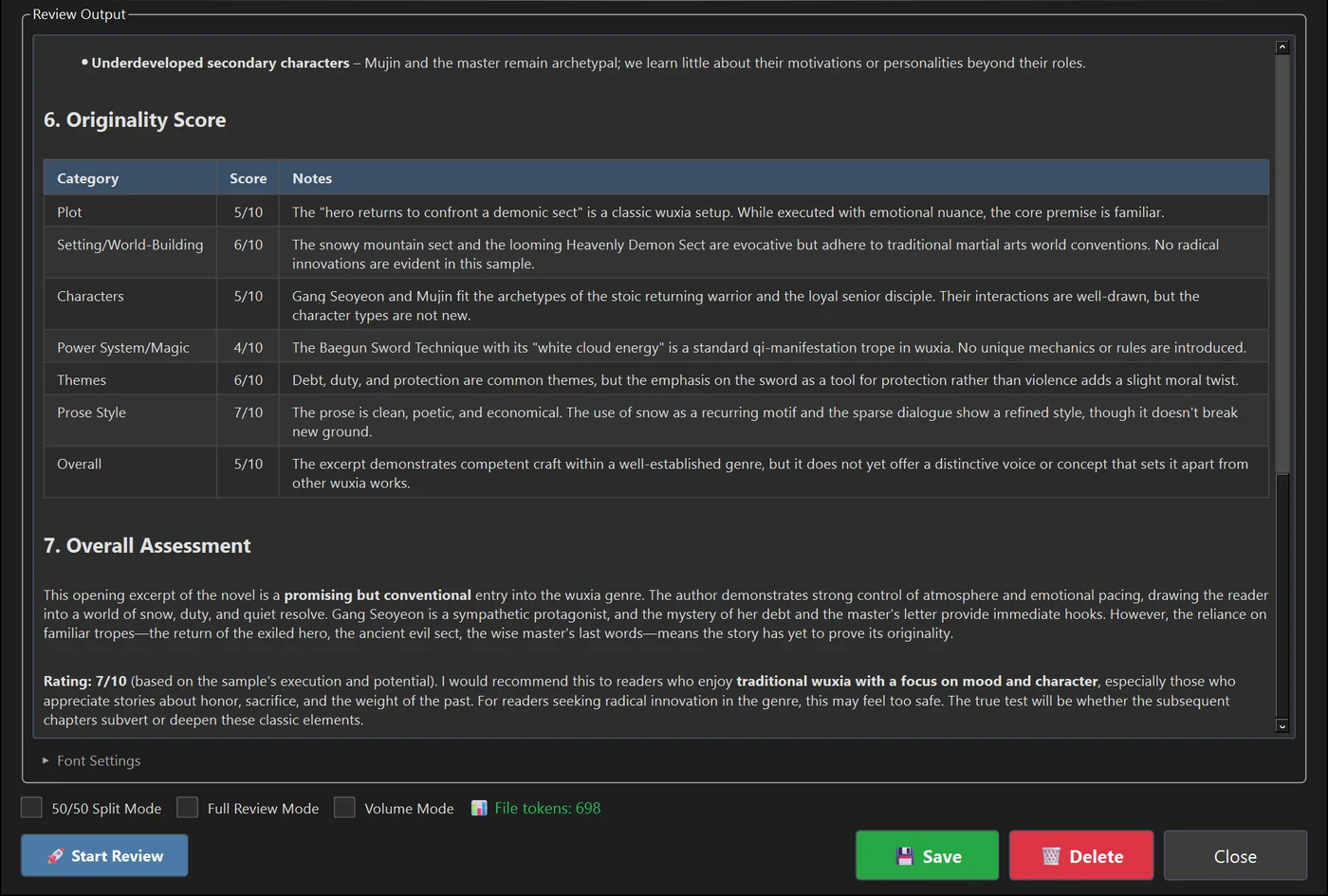
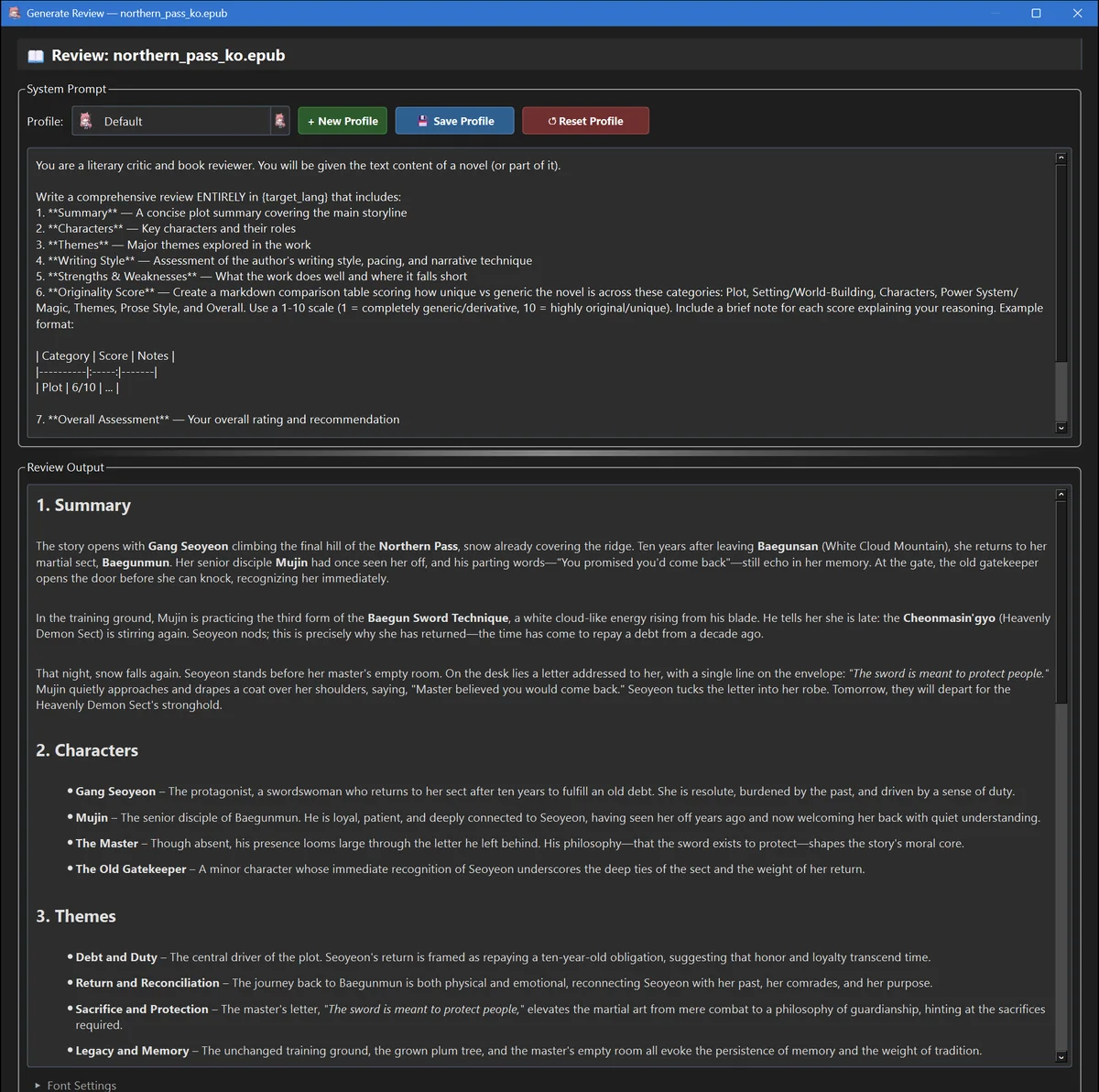
Point the review generator at an EPUB and get a review in your language: summary, characters, themes, writing style, strengths and weaknesses, an originality score per category and an overall rating.
- Spoiler-free by default, or spoiler mode that reads the ending
- Full-review mode covers very long books chunk by chunk
- Reviewed books get a 📝 badge in your library
Windows · macOS · Linux · Android · iOS
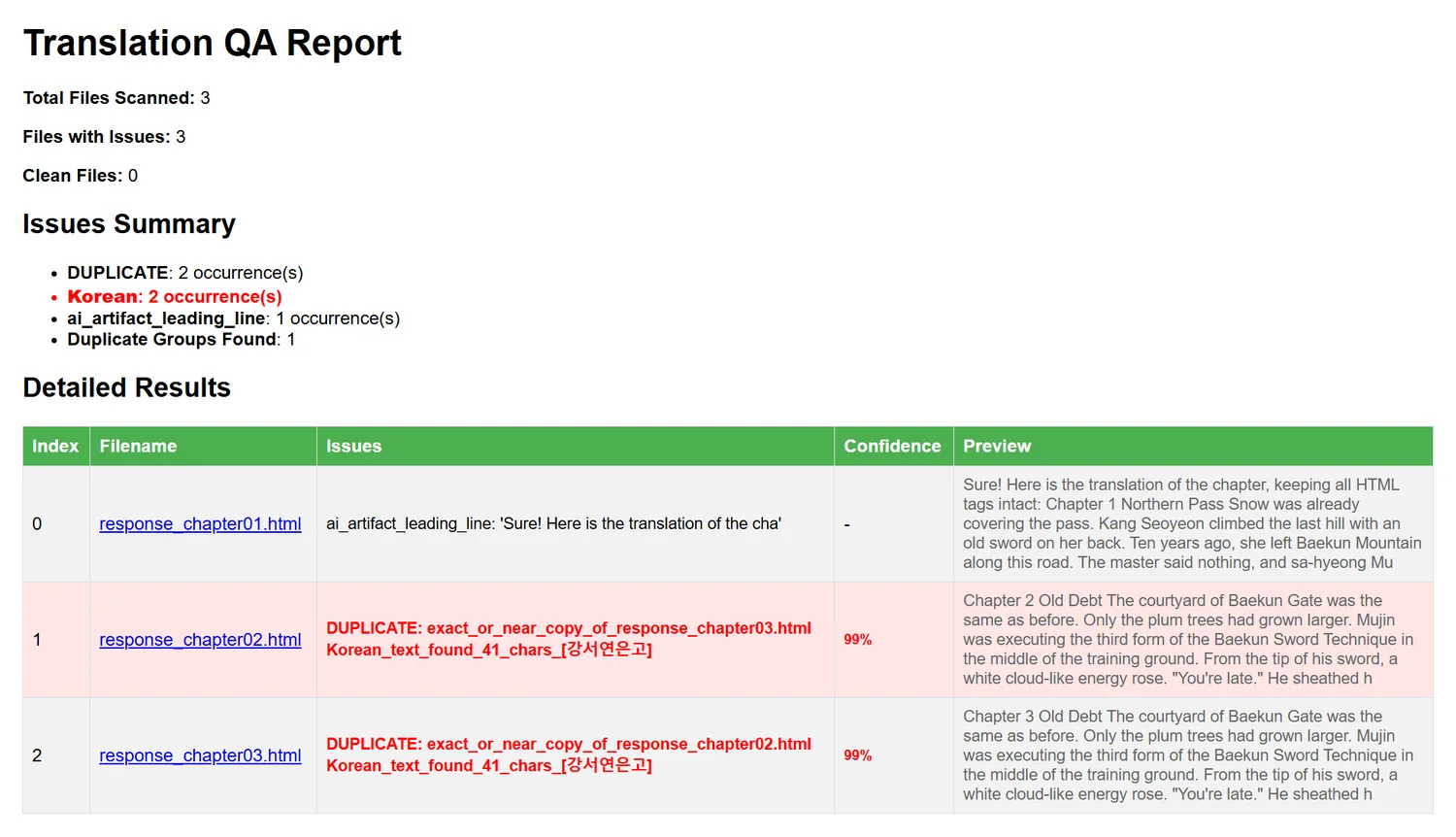
Catch the mistakes before your readers do.
After a run, the QA scanner reads every translated chapter and flags what went wrong, then lets you fix chapters one by one or send them back for retranslation.
- Duplicate or skipped chapters, including AI Hunter similarity checks
- Untranslated foreign text, AI "thinking" leftovers and truncated replies
- Broken HTML, missing images, word-count ratio and glossary drift
- Runs automatically after translation if you want
Windows · macOS · Linux · Android · iOS
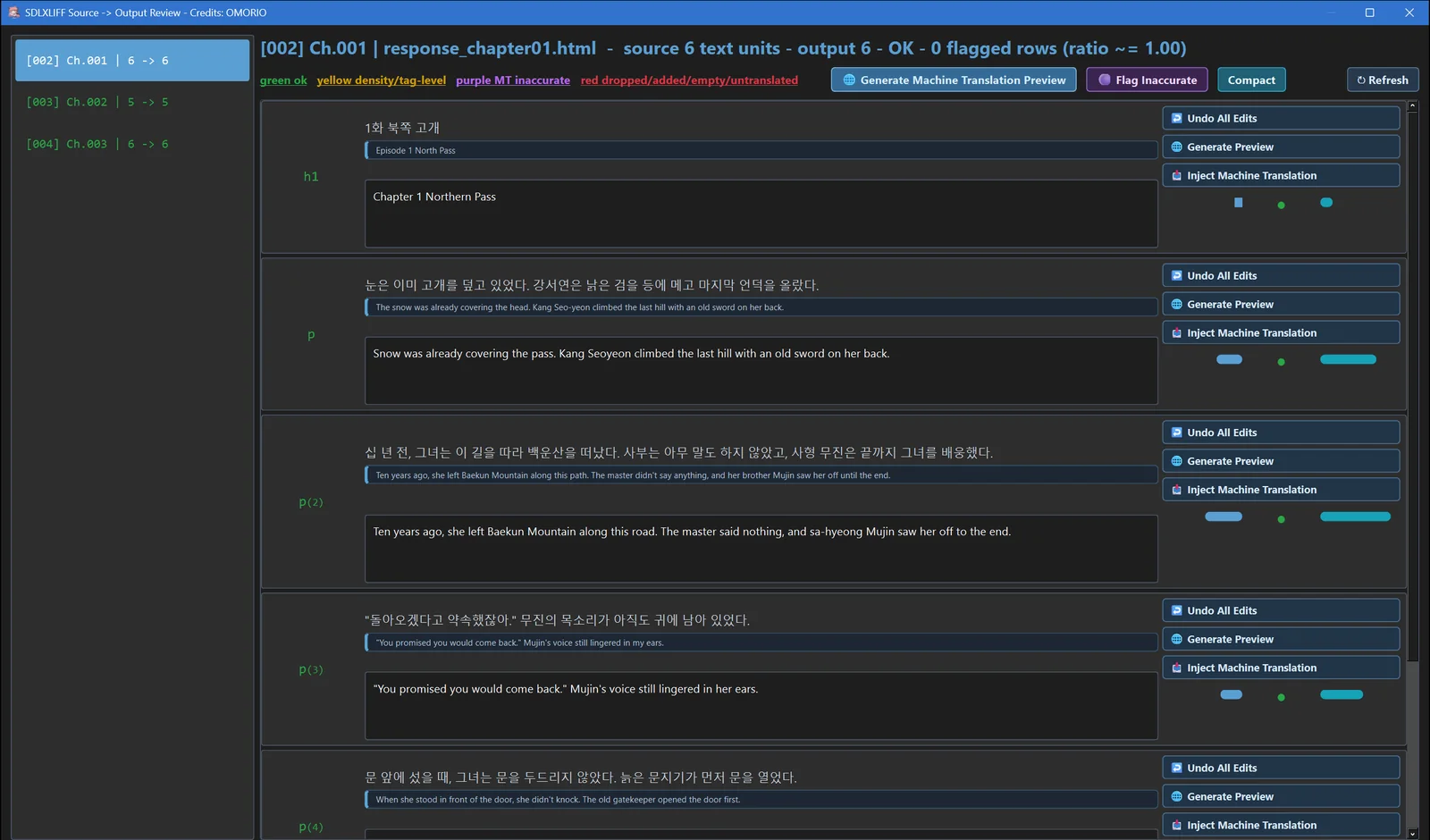
Professional CAT files, translated and reviewed.
Translate .sdlxliff files from Trados-style workflows and review them segment by segment: source and target side by side, a notepad view, machine-translation previews and flags for inaccurate segments. Glossarion can also write SDLXLIFF copies of any translated book.
- Aligned source/target rows with inline editing
- Compare with Google, DeepL, Bing, Yandex or Argos and insert a suggestion
- Score segments and flag the ones below your threshold
Windows · macOS · Linux (standard build) · Android · iOS
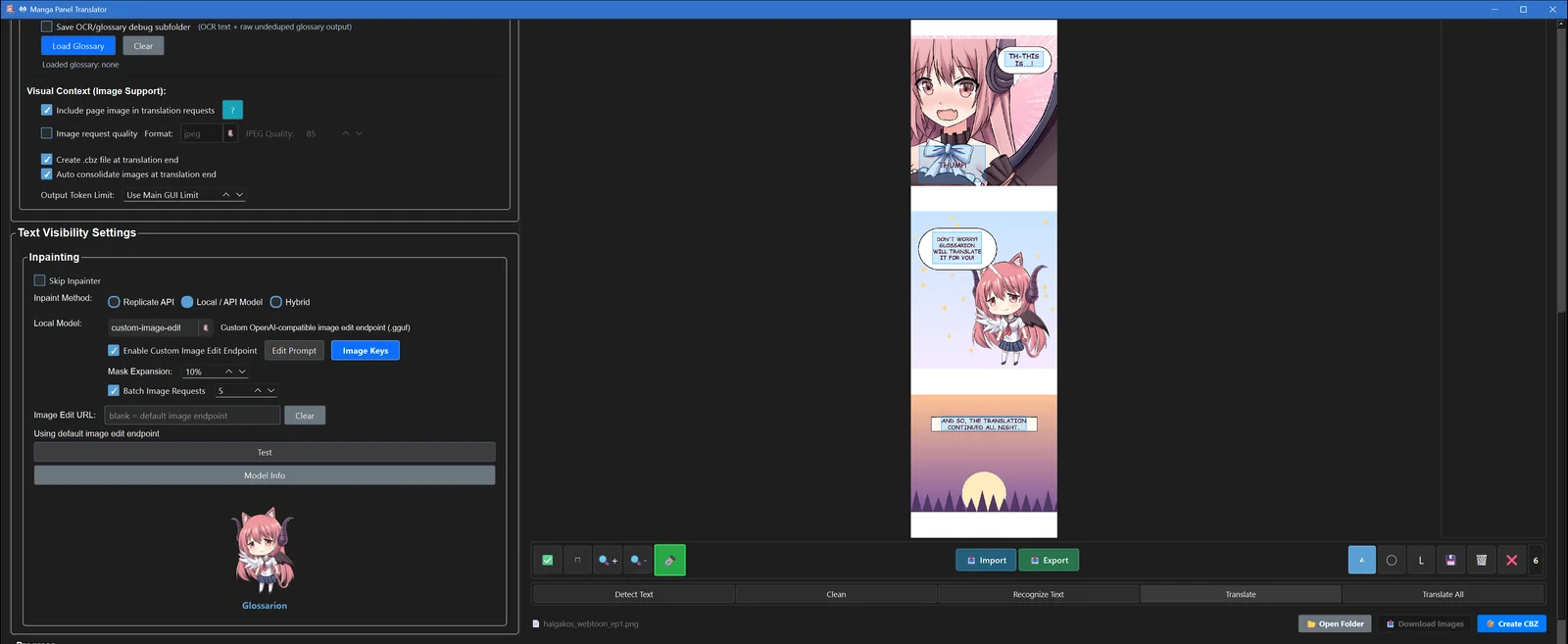
More of the desktop app.
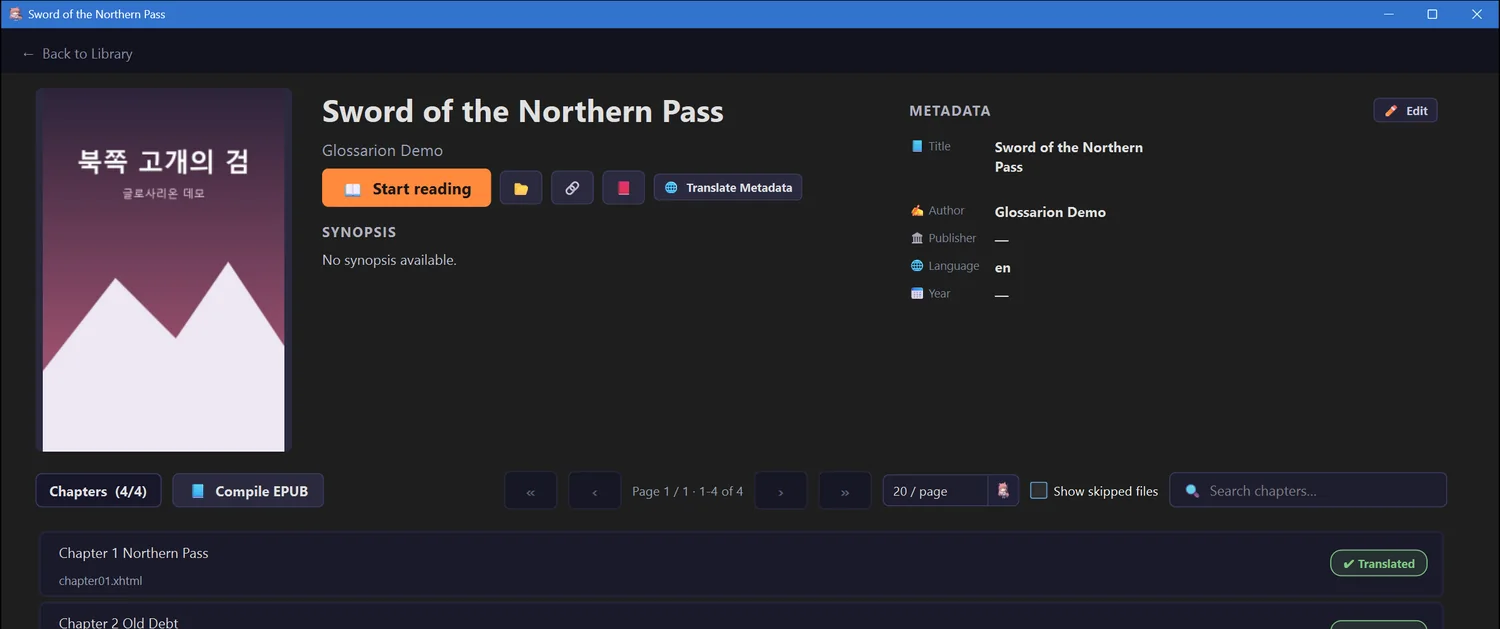
Every screenshot on this page is the real app, run on demo books written for this site. Click any image to see it full size.
And a lot more.
💬Chat translator
A chat-style translator with saved chats, per-chat settings and glossary. Attach a file and the full pipeline runs behind it.
🎬Subtitles & lyrics
SRT, ASS, SSA, VTT, SBV and LRC — timing and styling kept, whole ZIPs of episodes at once.
🎮RPG Maker games
Pulls dialogue and choices out of RPG Maker MV/MZ games, translates them and writes them back, with backups.
✨Refinement & retranslation
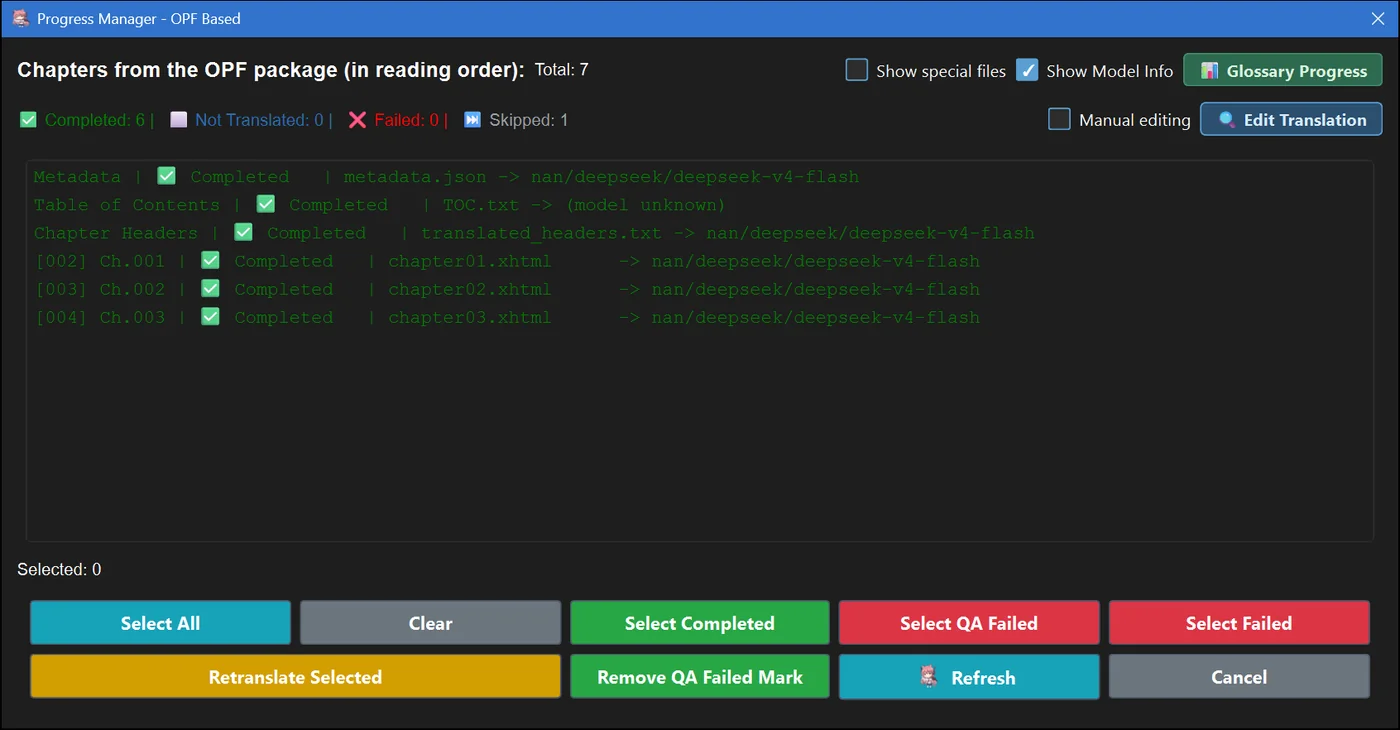
A second polishing pass over finished chapters, and a progress manager to redo only the chapters you choose.
📦EPUB & PDF output
Rebuild a clean EPUB with translated titles, table of contents and metadata, or export PDF, Markdown and TXT.
💸Batch API at half price
Send whole books through the OpenAI, Anthropic, Gemini, Mistral or Groq batch APIs for about 50% off.
🧠AI Hunter & script ban
Detects chapters that come back as copies of earlier ones, and keeps stray foreign scripts out of your output.
🌐64 target languages
Translate into English, Spanish, Vietnamese, Indonesian and many more — the list is yours to extend.
🔐Subscription logins
Already pay for ChatGPT, Claude, Gemini or Grok? Sign in and translate with your plan instead of an API key.
📱Background jobs on Android
Long translations keep running with the screen off, with a notification to stop a job or accept a new glossary. (iOS pauses jobs shortly after you leave the app.)
💾Safe by default
Encrypted keys, automatic config backups and an update checker that verifies every download.
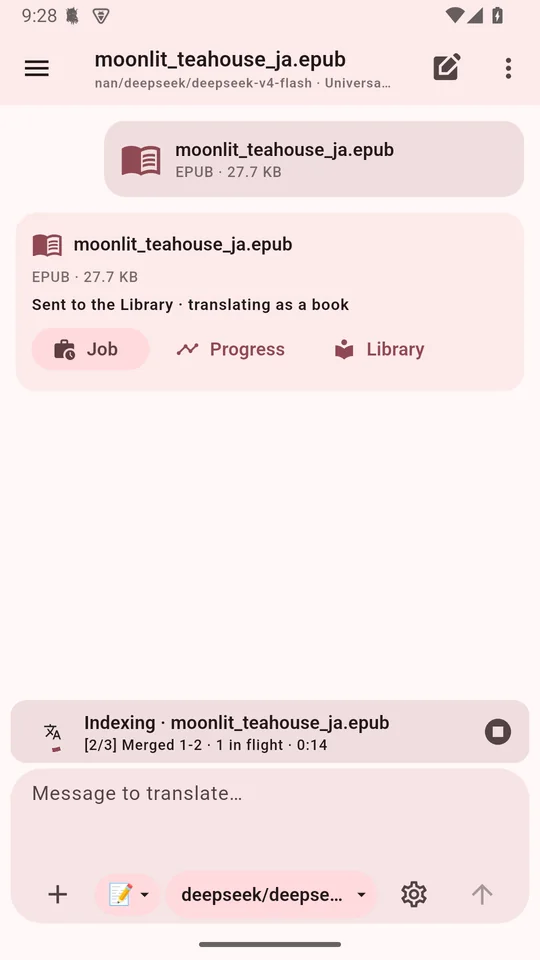
The same Glossarion, in your pocket.
The phone app is chat-first: paste text or attach a book, check the plan, and let it run. It shares the desktop app's translation engine, so glossaries, QA, the reader, manga and the review generator come along — and it can run small models on the phone itself.
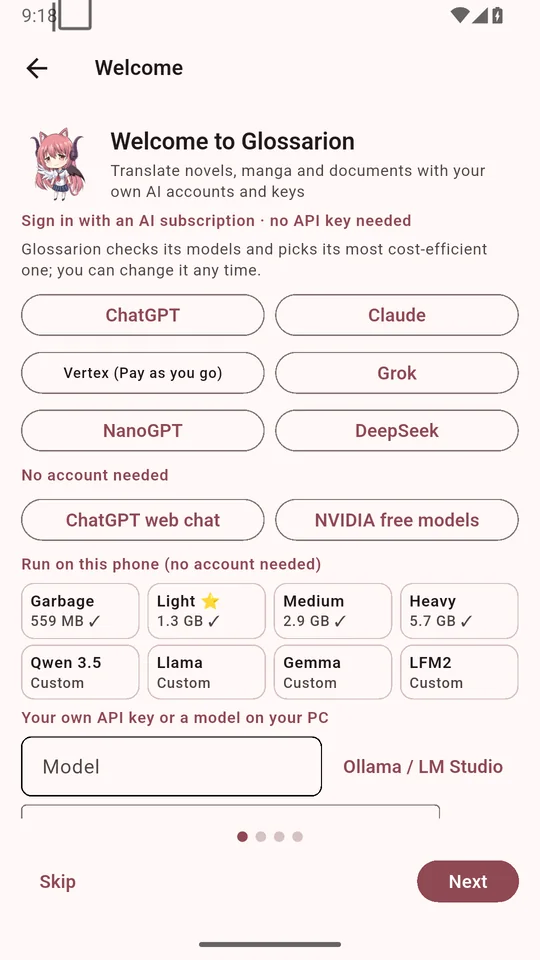
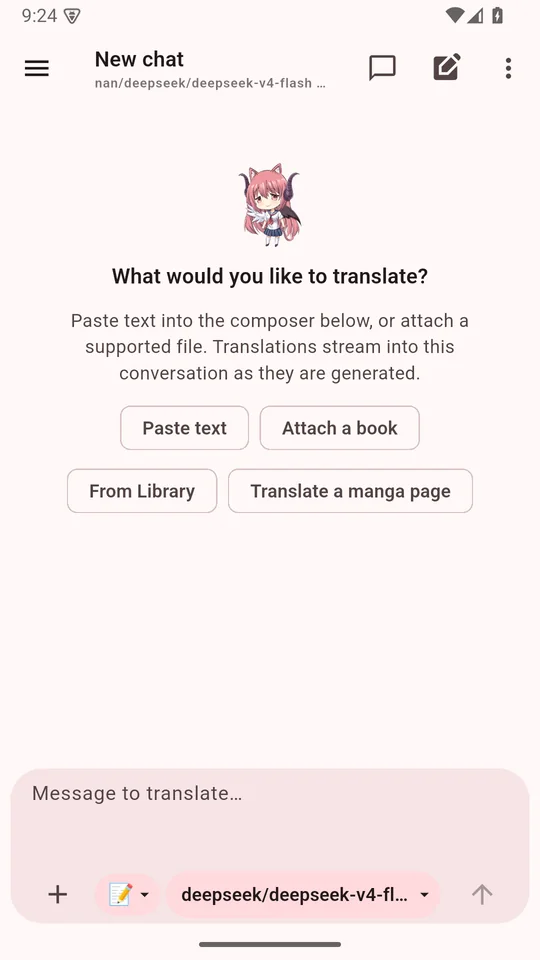
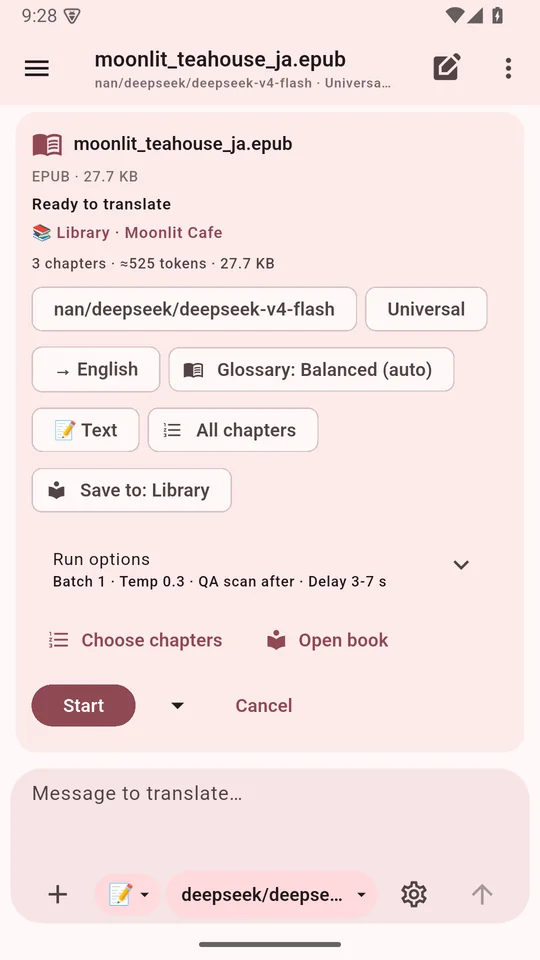
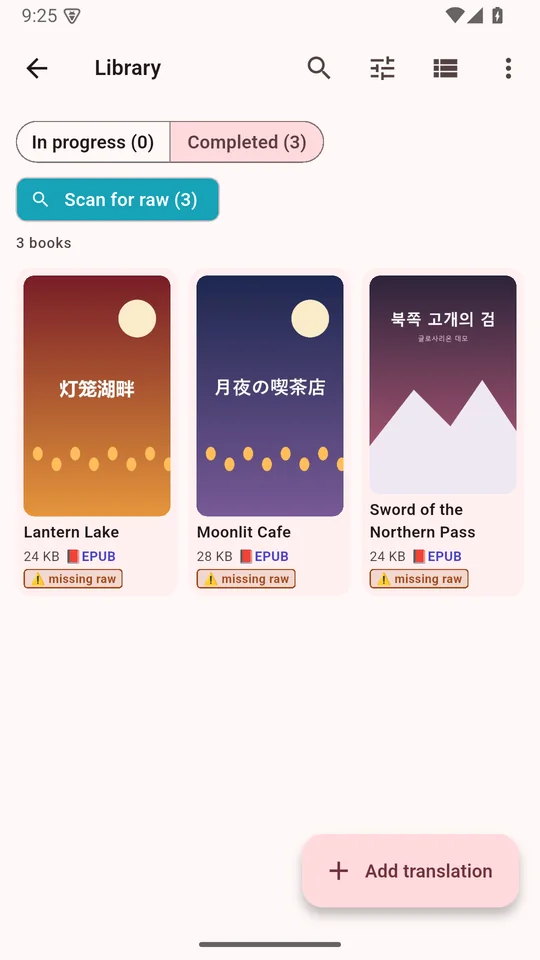
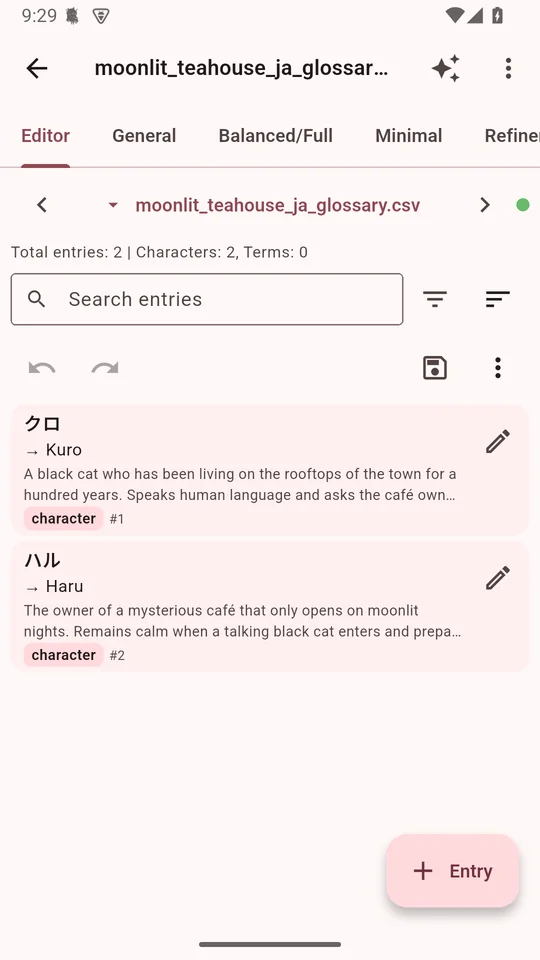
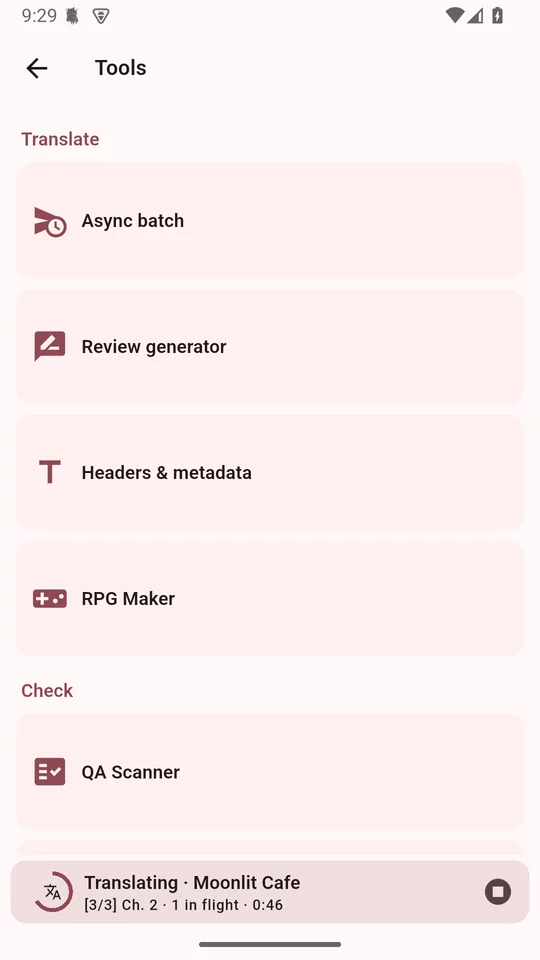
Screens from the Android app. iOS builds are the same app; iOS pauses translations about 30 seconds after you leave it, so keep it open for long books.
There is no pricing. Glossarion is free.
No plans, no credits, no word caps, no paywall on features. Glossarion never stands between you and the AI — you choose the model and, if it costs anything, you pay the provider directly at their price.
Run a model on your own PC or phone. ollamapull/qwen3.5:9b on desktop, an on-device Qwen3.5 preset on mobile. Fully private, works offline.
Free Google AI Studio key with Gemini Flash Lite (about 500 requests a day), OpenRouter :free models, the free Grok tier, Google Translate and more.
Use GPT, Claude, Gemini, DeepSeek, Grok, Qwen, Kimi, GLM and 40+ providers at cost — or a subscription you already pay for. No subscription to use your own key and no markup, so every token you pay for goes into your translation.
Want to help keep it free? Support the project on Ko-fi.
Works with the AI you already use.
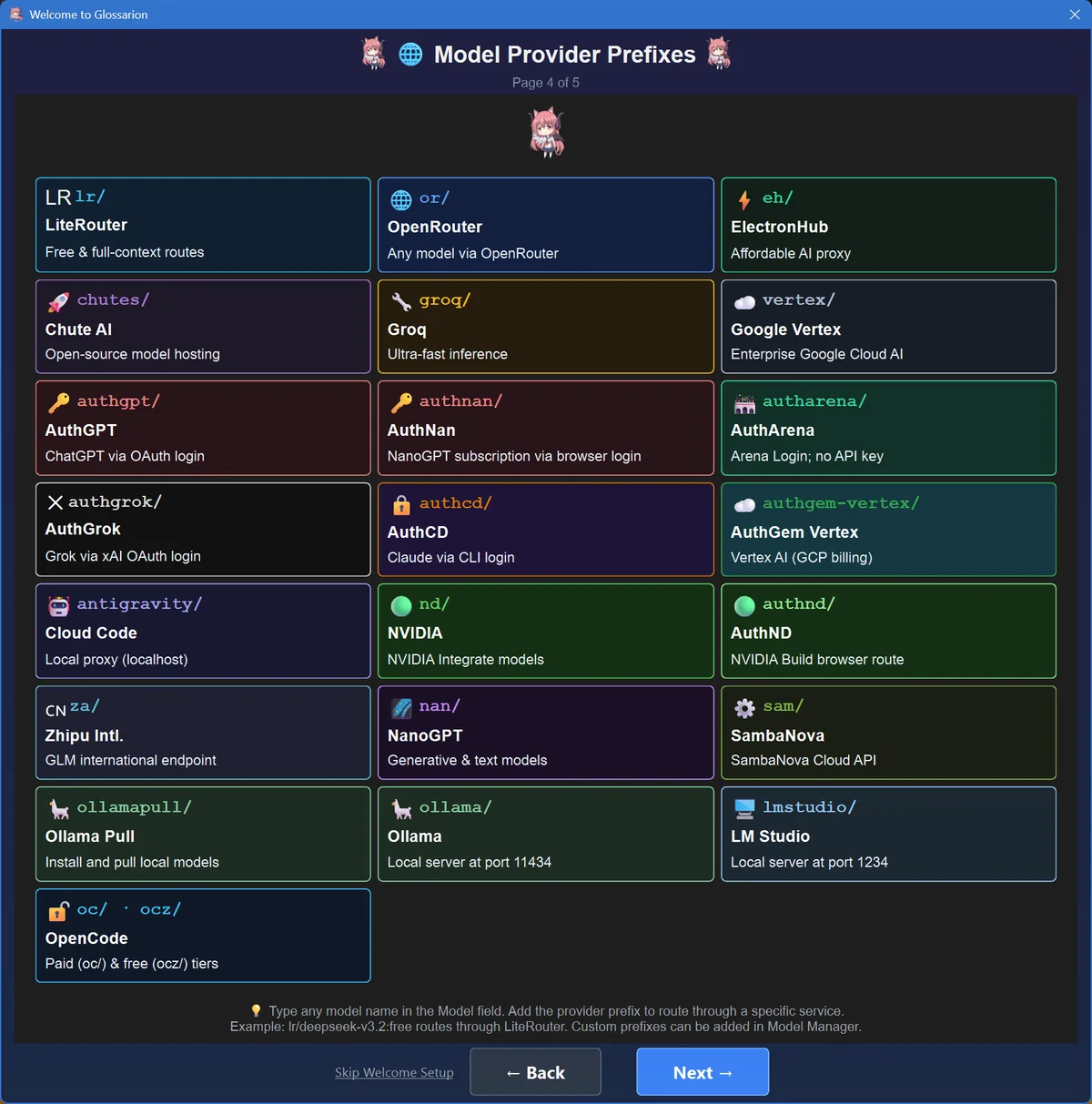
Type a model name with its prefix and Glossarion routes it. Online model lists are polled for you.
One app, every device.
All builds are published on GitHub — no store, no sign-up. Not sure which file? Read Which download do I need?
Windows 10 and 11. A single .exe, nothing to install.
Apple Silicon and Intel Macs, as a .dmg.
Latest release: · · All releases & notes · Run from source
Questions people ask.
Is Glossarion really free?
Yes. Glossarion is open source under the AGPL-3.0 license and every feature is in every free download. The only possible cost is the AI itself: if you use a paid API, you pay that provider directly. With a local model or a free tier, translating costs nothing.
Do I need an API key?
No. You can run a local model (ollamapull/qwen3.5:9b sets everything up for you), run a model on your phone, sign in with a ChatGPT, Claude, Gemini or Grok account, or use free tiers such as a Google AI Studio key or OpenRouter's free models. See Pick a model.
Which model gives the best translations?
Large frontier models (Gemini Pro, Claude, GPT, DeepSeek, Kimi, GLM) give the most natural prose. For free, Gemini Flash Lite on a free key is a strong start, and Qwen3.5 9B is a good local model if your PC has the memory. You can switch models at any time.
How does it keep names consistent?
A glossary. Glossarion extracts characters, places and terms from the book (with gender, so pronouns stay right) and sends the relevant entries with each chapter. The optional NER name check then scans the output for misspelled names and fixes them.
Is my data private?
Glossarion runs on your own device and has no server of its own. Your text goes only to the AI provider you choose — or nowhere at all with a local model. API keys are encrypted at rest.
What about mature content?
Glossarion doesn't add its own filters or word limits; what a model will translate is up to its provider. If a model refuses a passage, a fallback key pool can retry it on a different model automatically. Local models have no provider policy at all.
Why isn't it on the App Store or Google Play?
Glossarion is a free community project, and every build is published on GitHub. On Android you install the APK directly; on iPhone and iPad you sideload the IPA with a tool like SideStore or AltStore. See the install guide.

Start your first translation today.
Download Glossarion, pick a model, and read the book you've been waiting for — in your language.